
How to Do Amazon Keyword Research in 2026: Complete Seller Guide
Amazon keyword research requires reverse-engineering competitor ASINs, discovering high-volume buyer search terms, and optimizing backend search fields for November 2026. Claim your verified Helium 10 discount below to uncover high-converting Amazon search terms automatically.
Amazon keyword research is the process of identifying, analyzing, and selecting the exact search terms shoppers type into the Amazon search bar to purchase products. Mastering keyword research is the foundation of Amazon Search Engine Optimization (SEO) and Pay-Per-Click (PPC) campaign success.
Streamlining data extraction across competing listings allows sellers to isolate high-opportunity search volume without wasting hours on manual keyword harvesting.
Unlike traditional search engines like Google that prioritize informational intent, Amazon’s A10 search algorithm evaluates search terms strictly based on commercial conversion probability. Aligning product listing copy with customer search intent maximizes organic product placement.
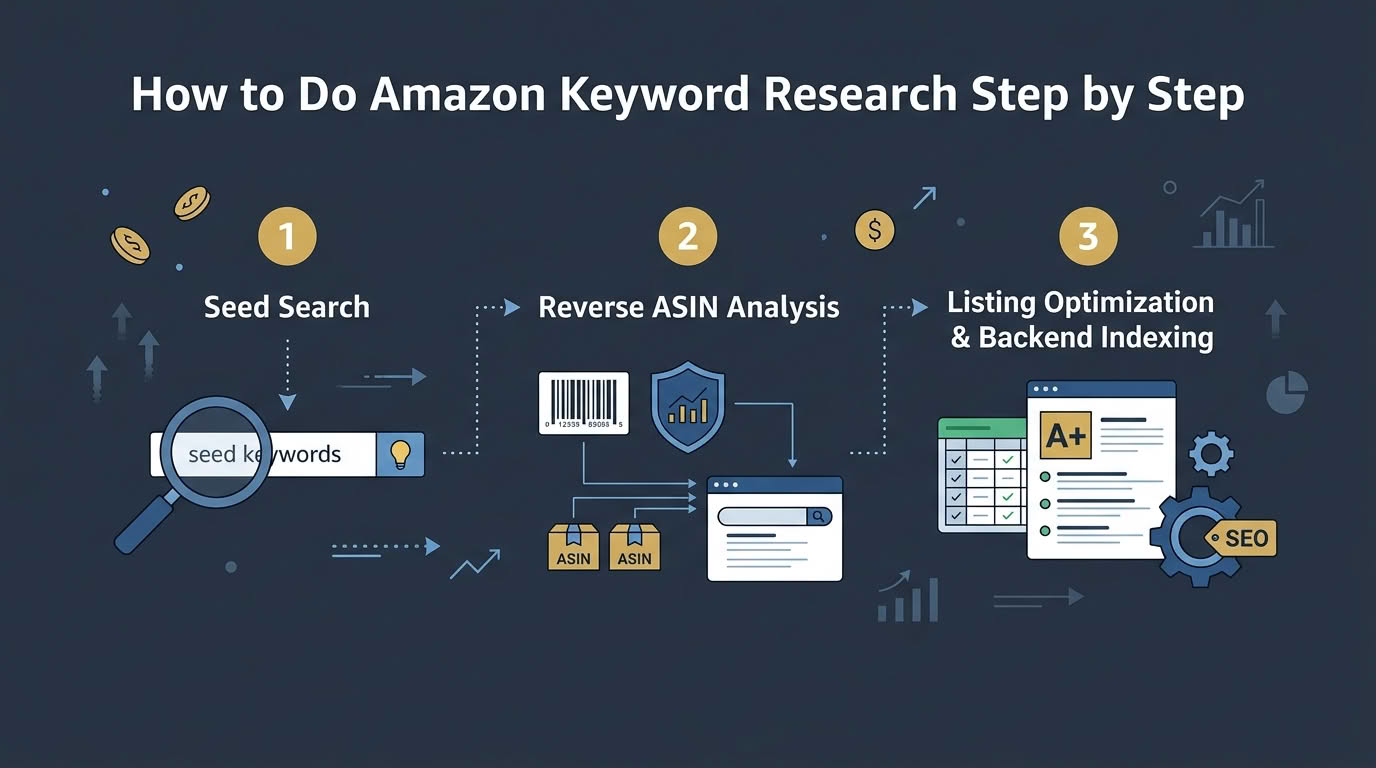
Executing thorough keyword research requires combining seed keyword discovery, reverse ASIN lookups, search volume validation, and strategic backend copy placement. Review our comprehensive step-by-step blueprint for November 2026 below.
Amazon Keyword Research Blueprint & Strategy Summary
A successful Amazon keyword research strategy identifies high-intent buyer terms and embeds them into product titles, bullet points, and backend search fields. Following a structured 7-step blueprint maximizes indexing coverage across competitive product categories.
Selecting reliable intelligence software is essential for scaling search volume tracking and indexing metrics. Review our tested recommendations in the BloggersNeed Amazon keyword research tools review to compare reverse ASIN lookup accuracy across leading seller suites.
Below is a tactical summary breakdown of the core Amazon keyword research workflow before detailing each step in depth.
- Step 1: Identify Core Seed Keywords & Synonyms – Brainstorm primary root terms and customer search variations.
- Step 2: Reverse-Engineer Competitor ASINs – Extract indexing keywords from top 5 niche competitors using Cerebro.
- Step 3: Validate Search Volume & Frequency – Confirm search demand metrics via Amazon Brand Analytics.
- Step 4: Clean & Categorize Keyword Master Lists – De-duplicate root phrases and remove irrelevant brand names.
- Step 5: Strategic Listing Copy Placement – Insert high-salience terms into titles, bullet points, and backend fields.
- Step 6: Harvest PPC Search Terms – Mine exact buyer phrases from ongoing Amazon PPC auto campaigns.
- Step 7: Monitor Indexing & SERP Positions – Track rank progress across mobile and desktop search results.
Understanding the Amazon A10 Search Algorithm in 2026
The Amazon A10 search algorithm ranks product listings based on conversion rate, sales velocity, organic click-through rate, and keyword relevance. Understanding how A10 evaluates keyword placement ensures seller copy balances readability with algorithmic salience.
Amazon evaluates keyword placement hierarchically, weighing title keywords highest, followed by bullet points, backend search terms, and product descriptions.
Including irrelevant or stuffed keywords dilutes listing relevance scores and damages conversion rates across organic search results.
Maintaining high sales velocity on target search terms reinforces organic position stability within competitive niche categories.
Step 1: Identify Core Seed Keywords and Customer Synonyms
Identifying seed keywords begins by defining your product’s core functional attributes, material specifications, and primary customer use cases. Brainstorming customer query variations captures diverse search patterns across different shopper demographics.
While physical product research focuses on buyer intent ASINs, digital book publishers must evaluate Kindle search volume and category competitiveness separately. Review our dedicated testing in the BloggersNeed KDP keyword search tools benchmark to select specialized publishing software.
Shoppers use varied terminology when searching for identical items, such as searching for stainless steel water bottle versus insulated metal flask.
Expanding root seed phrases using automated keyword discovery tools reveals hidden long-tail search variations.
Listing common misspellings and regional vocabulary differences builds a comprehensive seed keyword foundation.
Utilizing specialized tools like Helium 10 Magnet expands initial seed phrases into thousands of related search terms within seconds.
Analyzing customer review language and competitor Q&A sections provides additional insights into common shopper phrasing and product search queries.
Try Helium 10 Magnet Seed Generator
Step 2: Reverse Engineer Top-Performing Competitor ASINs
Uncovering high-converting search queries requires running multi-ASIN reverse lookups against established category market leaders.
FBA brand managers looking to benchmark rival price points, review velocity, and sales volumes should evaluate our BloggersNeed Amazon competitor analysis tools and ASIN spy software to identify market share opportunities and detect gaps in rival catalog indexing.
Reverse ASIN lookup extracts every indexed keyword ranking for top-performing competitor listings in your product category. Analyzing competitor ASINs identifies exact keyword combinations driving their organic sales volume.
Select 3 to 5 top-selling competitor ASINs with high review counts and strong organic placement to perform reverse lookups.
Filtering reverse ASIN results by organic rank position 1 through 10 highlights high-converting core keywords.
Identifying keyword gaps where competitors rank poorly reveals low-competition organic ranking opportunities.
Executing reverse ASIN lookups regularly ensures listing copy adapts to shifting competitor keyword strategies.
Run Helium 10 Cerebro Reverse ASIN Lookup
Step 3: Validate Search Frequency with Amazon Brand Analytics
Amazon Brand Analytics provides first-party search frequency rank (SFR) data directly from Amazon’s internal buyer search database. Validating search volume confirms customer demand before investing in targeted PPC campaigns.
Lower Search Frequency Rank numbers indicate higher overall customer search volume on Amazon.
Analyzing top 3 clicked ASIN percentages reveals market concentration levels for specific search terms.
Comparing seasonal search frequency trends helps sellers plan inventory stock levels prior to peak buying seasons.
Cross-referencing Brand Analytics data with software search volume estimates ensures maximum keyword accuracy.
Step 4: Clean, De-Duplicate, and Categorize Keyword Master Lists
Cleaning keyword master lists removes duplicate words, competitor brand names, and irrelevant product modifiers. Categorizing terms into primary, secondary, and backend buckets streamlines listing optimization.
Including trademarked competitor brand names in listing copy violates Amazon seller policies and risks listing suppression.
De-duplicating single root words condenses multi-word phrases into efficient keyword sets for backend search fields.
Grouping keywords by customer purchase intent ensures strategic copy placement across listing sections.
Filtering out low-volume search terms maintains focus on high-converting core commercial phrases.
Step 5: Strategic Copy Placement (Title, Bullets & Backend Search Terms)
Strategic copy placement integrates primary keywords into your product title while utilizing backend search terms for remaining attributes. Structuring copy for buyer readability maintains high conversion rates while satisfying algorithm indexing requirements.
Place your primary seed keyword and top 2 secondary terms within the first 80 characters of your product title.
Incorporate secondary benefit keywords naturally into your 5 feature bullet points without keyword stuffing.
Utilize the 249-byte backend Search Terms field for alternate customer synonyms, Spanish translations, and root word variations.
Avoid repeating words between titles, bullet points, and backend search fields, as Amazon indexes unique words once per listing.
Step 6: Harvest Converting Search Terms via Amazon PPC Campaigns
Running Amazon PPC Automatic and Broad match campaigns uncovers exact customer search queries that convert into real sales. Mining converting search terms from Advertising Reports supplies proven keyword targets for listing updates.
Download Search Term Reports weekly to identify customer queries with high sales volume and low Advertising Cost of Sales (ACoS).
Migrate high-converting search terms into Manual Exact match PPC campaigns to scale target keyword rank velocity.
Add non-converting or irrelevant search queries as Negative Exact targets to prevent wasted advertising spend.
Continuously feeding customer search data back into listing copy strengthens organic search indexing relevance.
Step 7: Monitor Indexation and Rank Tracking over Time
Monitoring keyword indexation verifies that Amazon’s A10 algorithm actively indexes your listing for target search terms. Tracking SERP positions daily alerts sellers to ranking drops caused by listing changes or competitor activity.
Check indexation by searching ASIN + target keyword in the Amazon search bar to confirm listing appearance.
Track daily position changes for top 20 core keywords to measure organic ranking trajectory.
Investigating sudden position drops helps identify listing hijackers, lost Buy Boxes, or suppressed search terms promptly.
Utilizing automated rank tracking dashboards like Helium 10 Keyword Tracker automates daily SERP position monitoring across desktop and mobile browsers.
Track Keyword Ranks with Helium 10
5 Critical Amazon Keyword Research Mistakes to Avoid
Avoiding common keyword research mistakes prevents listing suppressions, policy violations, and low conversion rates. Review the 5 critical pitfalls below before publishing your optimized product listing.
Analyzing listing guidelines prevents policy violations that harm account health and organic rank placement.
- Keyword Stuffing Product Titles – Writing unreadable titles packed with keywords lowers customer click-through rates.
- Exceeding 249 Bytes in Backend Search Terms – Exceeding the 249-byte limit causes Amazon to ignore the entire backend search term field.
- Including Competitor Brand Names – Using competitor brand names violates Amazon Intellectual Property policies.
- Repeating Words Across Fields – Repeating identical words in titles, bullets, and backend fields wastes valuable character space.
- Ignoring Search Intent & Relevancy – Target terms with high search volume but poor product relevance leads to high bounce rates.
Frequently Asked Questions About Amazon Keyword Research
Review direct answers to essential questions regarding Amazon keyword discovery, reverse ASIN lookups, backend search terms, and Helium 10 optimization.
How do you find high-volume search terms for Amazon product listings?
Top sellers analyze Amazon Brand Analytics data alongside specialized tools like Helium 10 Cerebro and Jungle Scout. Combining customer search frequency ranks with root buyer intent reveals high-converting transactional queries that boost listing discoverability.
What is reverse ASIN lookup and how does it reveal competitor keywords?
Reverse ASIN lookup queries Amazon search indexing databases to extract every organic keyword and sponsored ranking position held by competitor products. This methodology uncovers hidden sales drivers, high-performing search terms, and lucrative keyword gaps within minutes.
What is the difference between backend search terms and visible listing keywords on Amazon?
Visible listing keywords appear directly inside product titles, feature bullets, and product descriptions, while backend search terms remain completely hidden from buyers. Backend search terms provide an additional 250 bytes of indexing space for synonyms and foreign misspellings.
Which tool is better for Amazon keyword research, Helium 10 or Jungle Scout?
Helium 10 offers superior keyword precision and reverse ASIN depth through its Cerebro and Magnet modules, providing unmatched historical search volume. Jungle Scout delivers excellent product validation and sales estimates, making Helium 10 the stronger choice for keyword analysis.
How often should Amazon FBA sellers update their target keywords?
Sellers should conduct thorough keyword audits every quarter, adjusting PPC bids and backend terms to match seasonal fluctuations and buyer behavior. Regular optimization ensures listing indexing remains aligned with shifting consumer search habits throughout the calendar year.

I’m Abdullah Prem, a passionate blogger with over 10 years of experience. I created BloggersNeed to produce high-quality, easy-to-understand articles, guides, and tutorials that help people start their blogging journey. Specializing in WordPress, Hosting, Themes, and online money-making strategies, I’ve been featured on leading tech platforms such as Tech.co, Cloudways, Business2Community, Leadpages, GoodFirms, and ShareThis. BloggersNeed.com