
Choosing the best wordpress plugins is the fastest way to expand your website functionality, improve organic Google rankings, accelerate page load times, and bulletproof your server security in September 2026.
With over 60,000 tools in the official repository, running poorly coded extensions bloats database queries, increases Time to First Byte (TTFB), and exposes your backend to vulnerabilities. Selecting verified plugins for wordpress ensures seamless compatibility with your themes and reliable web hosting infrastructure.
Integrating lead generation popups and visual page builders establishes high conversion rates across business websites. Redeem the active BloggersNeed Elegant Themes annual discount code to secure premium access to Divi, Bloom, and Monarch plugins simultaneously.
Pairing essential utility plugins with a flexible visual site builder streamlines site maintenance and client design iterations. Secure perpetual updates through the BloggersNeed Divi perpetual membership discount code to eliminate recurring annual design framework overhead.
What is a WordPress Plugin and How Does It Work?
A WordPress plugin is a modular PHP script containing custom code, functions, hooks, and stylesheets that seamlessly integrates into your core WordPress installation without editing core core files.
Plugins execute database queries, modify template rendering, and extend platform capabilities across e-commerce, technical SEO, conversion tracking, and security hardening.
Every active wordpress plugin attaches custom functions to WordPress action and filter hooks. When a visitor requests a URL, the server executes these hooks during the WordPress lifecycle before sending the rendered HTML to the browser.
High-quality popular wordpress plugins minimize database overhead by caching transients, using asynchronous asset loading, and deferring JavaScript execution until user interaction.
WordPress Plugin Comparison: The Essential Stack for 2026
The essential WordPress plugin stack balances search optimization, performance caching, firewall security, and visual content layout without creating database bloat. Selecting single-purpose plugins built on lightweight code architecture maintains sub-second page loading speeds across mobile devices.
Building an automated retail shop on WordPress requires reliable fulfillment plugins that seamlessly sync product data and inventory levels. Retail site builders expanding their commercial software stack can consult our BloggersNeed AliDropship plugin promo codes breakdown for verified checkout coupons and feature tutorials.
This comprehensive wordpress plugin comparison evaluates the top 10 core extensions across performance, security, SEO, page building, and automation. Use this benchmarking matrix to select lightweight, highly rated tools that deliver maximum functionality with minimal server load and zero database bloat.
| Plugin Category | Recommended Tool | Primary Function | Free vs Pro Pricing | Resource Impact |
|---|---|---|---|---|
| SEO & Sitemaps | Rank Math / Yoast SEO | XML Sitemaps, Schema Markup, Meta Tags | Free / $6.99/mo | Very Low |
| Internal Linking | Link Whisper | Automated semantic anchor internal linking | Free / $97/yr | Low |
| Security & Firewall | Wordfence Security | WAF, Endpoint Scanner, 2FA, Login Security | Free / $119/yr | Moderate |
| Speed & Caching | WP Rocket / LiteSpeed Cache | Page Caching, CSS/JS Minification, Delay JS | Free (LSC) / $59/yr | Extremely Low |
| Landing Page Builder | Elementor / SeedProd | Visual Drag-and-Drop conversion page design | Free / $59/yr | Moderate |
| Table Generator | TablePress / wpDataTables | Responsive comparison charts & Divi tables | Free / $44/yr | Very Low |
| Version Control | WP Rollback | Revert plugin update wordpress emergencies | 100% Free | Zero (On-demand) |
| Agency Management | MainWP / WP Umbrella | Centralized updates, uptime & client reporting | Free / $199/yr | Zero on Client sites |
| Forms & Leads | Fluent Forms / WPForms | Fast lead capture forms, surveys, and polls | Free / $49/yr | Low |
| Backups & Staging | UpdraftPlus | Scheduled cloud backups (AWS S3, Google Drive) | Free / $70/yr | Low (Offloaded) |
Pairing these best plugins for wordpress creates a cohesive foundation that handles tens of thousands of daily pageviews without triggering database lockups or high memory usage warnings.
Top 10 Best WordPress Plugins Ranked by Performance and Functionality
The best WordPress plugins are evaluated based on script execution efficiency, query footprint on MySQL databases, and compatibility across core updates. Our tested stack highlights market-leading tools that enhance search visibility, visitor engagement, site security, and server performance.




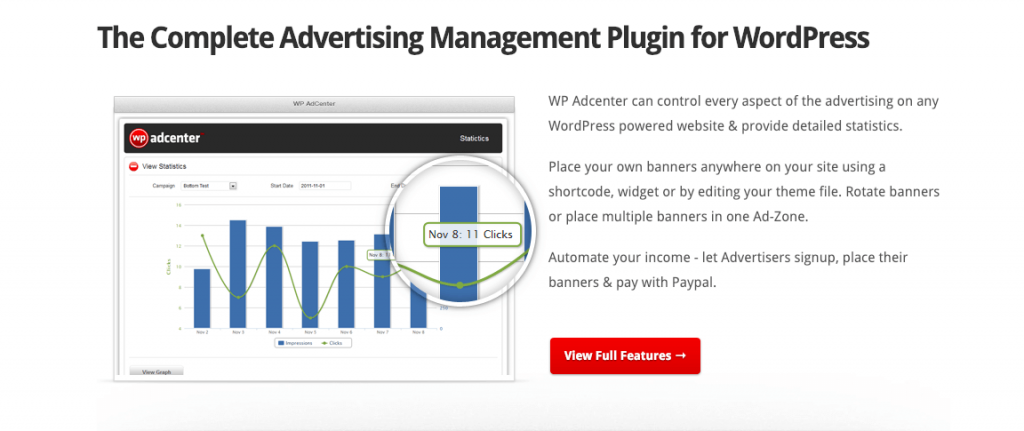
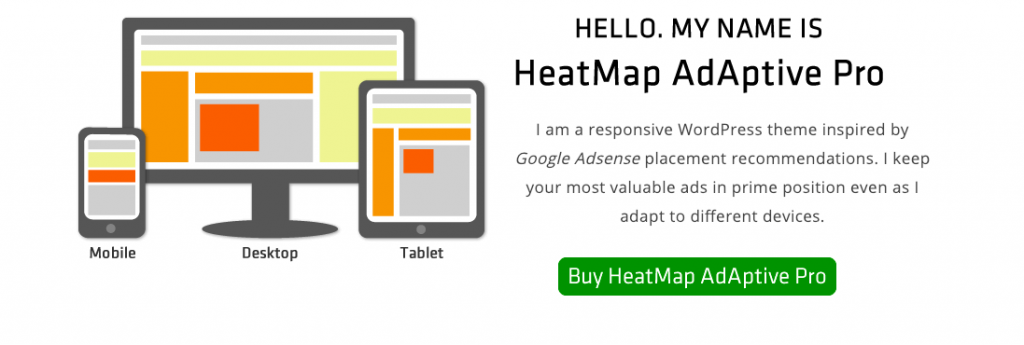
The following curated selection represents the top-performing, most reliable wordpress plugins tested across production publishing workflows. Each tool is vetted for clean PHP architecture, active developer maintenance, regular vulnerability patches, and zero render-blocking script conflicts across modern block and builder themes.
1. Rank Math SEO: The Complete Search Engine Suite
Rank Math is an all-in-one SEO suite that replaces multiple standalone tools by handling XML sitemaps, JSON-LD Schema markup, redirection management, internal link suggestions, and on-page keyword analysis within a single lightweight codebase that optimizes server memory consumption.
Unlike legacy SEO plugins that require separate add-ons for schema or 404 monitoring, Rank Math bundles rich snippet generation, OpenGraph metadata, and Google Search Console integration directly into your block editor.
It pairs seamlessly with competitive intelligence workflows when tracking keywords identified during your Semrush competitive research trials.
2. Link Whisper: The Best Link Building Plugin for WordPress
Link Whisper automates internal linking structure across WordPress posts using artificial intelligence to suggest contextual anchor text opportunities. It scans your complete publishing archive, identifies orphaned URLs, and embeds bidirectional internal links without manual URL searching.
Configuring advanced plugin automation rules, shortcode inclusions, or custom category widgets requires referencing precise database identifiers.
Site builders customizing complex template hooks can follow our BloggersNeed how to find post ID in WordPress tutorial to extract post, page, and category IDs via editor URLs or source code inspection.
Automating contextual connections across hundreds of published posts prevents orphaned URLs from wasting crawl budget.
Site owners looking to evaluate AI-powered internal linking suites against manual plugin options can review our BloggersNeed internal link builder plugin comparison guide to benchmark natural language processing engines, anchor text reporting, and bulk link creation tools.
Link Whisper is the best link building plugin for wordpress because it utilizes an advanced natural language processing engine to analyze published content, identify contextual orphaned pages, and suggest high-value internal links with relevant anchor texts in one click.
Internal link architecture is a foundational Google ranking factor. Building deep contextual internal connections distributes PageRank across your content cluster, boosting the rankings of critical commercial landing pages.
Auditing your internal linking using Link Whisper alongside external backlink analysis from our top backlink analyzer tools creates an unshakeable on-site and off-site authority footprint.
3. Wordfence Security: The Best WordPress Security Plugin
Wordfence Security is the best wordpress security plugin featuring a specialized Web Application Firewall (WAF), real-time threat defense feed, malicious code scanner, brute-force login protection, and two-factor authentication (2FA) designed specifically to block malicious bots and zero-day exploits.
Because WordPress powers over 43% of the web, unpatched themes and extensions make sites prime targets for automated brute-force attacks. Installing dedicated wordpress security plugins shields your wp-admin endpoints and prevents unauthorized database injections.
Operating a verified wordpress security plugin gives webmasters real-time alerts whenever core files are modified or unvetted scripts attempt unauthorized API requests.
Site administrators looking for off-server malware scanning that prevents server performance degradation can consult our in-depth BloggersNeed MalCare WordPress security plugin review to examine instant automated cleanup capabilities, firewall rules, and daily backup protections.
4. WP Rocket: Complete Core Web Vitals Optimization
WP Rocket is a premier caching and performance plugin that automatically implements advanced page caching, GZIP compression, LazyLoading, browser caching, critical CSS generation, and JavaScript execution delay to help websites achieve perfect Google PageSpeed and Core Web Vitals scores.
Fast loading times directly influence conversion rates and search rankings. WP Rocket removes render-blocking resources by deferring non-critical JavaScript until real user interaction (such as mouse movement or scrolling).
Pairing high-performance caching with cost-effective server resources detailed in our annual web hosting cost breakdown ensures your site stays lightning fast under traffic spikes.
5. Elementor & SeedProd: The Best WordPress Landing Page Plugin Options
Elementor and SeedProd provide visual drag-and-drop page building interfaces that let creators design custom sales funnels and landing pages without touching code. Both plugins generate responsive mobile layouts while offering pre-designed templates optimized for high conversion rates.

Elementor and SeedProd stand out as the leading landing page plugins and visual site builders, enabling marketers to construct responsive lead-generation funnels, custom sales templates, and conversion-focused opt-in pages using intuitive drag-and-drop drag widgets without writing custom CSS code.
While landing page plugins offer flexible drag-and-drop design controls, combining them with a solid theme architecture found in our BloggersNeed best WordPress themes directory ensures cohesive sitewide typography, unified header navigation, and optimized Core Web Vitals metrics.
Selecting the best wordpress landing page plugin depends on your workflow requirements:
- SeedProd: Dedicated landing page plugin built strictly for speed, lead capture, sales funnels, and maintenance mode splash pages with minimal code overhead.
- Elementor: Comprehensive wordpress landing page plugin and full theme builder featuring hundreds of widgets, third-party integrations, and dynamic marketing triggers.
Deploying dedicated landing page builder plugins lets digital marketers launch high-converting promotional pages in minutes, solidifying their position as essential wordpress landing page plugins.
If you are exploring the best landing page plugin for wordpress or evaluating top wordpress landing page plugins, SeedProd delivers the fastest raw loading speeds, while Elementor provides unparalleled design versatility as the wordpress best landing page plugin for agencies.
6. TablePress & wpDataTables: Advanced Divi Table Plugin Integrations
TablePress and wpDataTables are top-tier data visualization plugins that allow webmasters to create responsive comparison tables, sorting matrices, and dynamic pricing charts with native shortcode embed support across Gutenberg, Elementor, and Divi table plugin layouts.
Whether you need a dedicated divi table plugin solution to display product comparisons or want to embed interactive tables for domain registrations (like tracking current domain name price trends), these table plugins deliver seamless mobile responsiveness and instant frontend search filtering.
7. WP Rollback: How to Revert Plugin Update WordPress Emergencies
WP Rollback is an indispensable open-source emergency utility that enables webmasters to quickly revert plugin update wordpress mishaps to any previous stable version with a single click, instantly recovering broken layouts and fatal PHP errors without requiring manual FTP rollbacks.
Automatic background updates or untested third-party versions can occasionally conflict with your active theme. Instead of restoring full database backups, WP Rollback downloads previous release packages directly from WordPress.org, restoring site stability in under 10 seconds.
Best WordPress Plugins for Agencies Managing Multiple Client Sites
The best wordpress plugins for agencies streamline multi-site maintenance by providing centralized dashboard control for automated updates, vulnerability monitoring, white-label client PDF reporting, offsite backup scheduling, and bulk security hardening across hundreds of client domains from a single interface.
Managing client portfolios requires enterprise-grade wordpress plugins for agencies that save hours of repetitive administrative tasks. Top solutions include:
- MainWP: Self-hosted, privacy-focused open source management platform that connects an unlimited number of client WordPress sites with zero per-site licensing fees.
- WP Umbrella: Cloud-based maintenance solution combining automated PHP error monitoring, uptime tracking, and automated weekly client maintenance reports.
- ManageWP: Fast cloud dashboard for bulk plugin updates, automated Google Analytics reporting, and single-click staging clones.
Adopting dedicated best wordpress plugins for agencies ensures client retainers remain highly profitable while maintaining 99.9% portfolio uptime.
How to Install WordPress Plugins: 3 Step-by-Step Methods
Learning how to install wordpress plugins correctly ensures site stability and prevents PHP syntax errors. You can install any extension using the built-in WordPress dashboard search, uploading a downloaded ZIP package from premium developers, or executing manual uploads via SFTP file managers.
Method 1: Direct Dashboard Search (Free Repository Plugins)
Installing free WordPress plugins through the native dashboard search connects directly to the official WordPress plugin repository. Site administrators can install, activate, and update verified scripts in two clicks without handling manual FTP connections or unzipping archive directories.

Installing extensions from the official repository is the quickest way to deploy verified tools on your website:
- Navigate to your WordPress dashboard and click Plugins > Add New Plugin.
- Enter the name of your desired tool (e.g., Rank Math, Wordfence) in the search bar.
- Click Install Now next to the verified developer listing.
- Click Activate once the installation finishes.
Method 2: Uploading Premium Plugin ZIP Packages
Follow these steps to learn how to install wordpress plugin archives purchased from commercial developers:
- Download the
.zipfile from your developer account dashboard. - Go to Plugins > Add New Plugin and click the Upload Plugin button at the top.
- Select your
.ziparchive and click Install Now. - Activate the plugin and input your license key to enable automated security updates.
International Best Practices: Bedste WordPress Plugins for Global Performance
When building multilingual or European websites requiring the bedste wordpress plugins (best WordPress plugins in Danish and Scandinavian markets), webmasters must combine TranslatePress or WPML with strict GDPR compliance banners like CookieYes to maintain legal safety across global search indexes.
Delivering high-speed performance across international regions also requires pairing your content delivery network (CDN) with global infrastructure to ensure international visitors experience sub-second page loads.
Conclusion: Building a Lean, High-Converting WordPress Stack
Optimizing your site with the best wordpress plugins transforms a basic blog or store into a high-performance, conversion-focused digital asset in September 2026. Focus on installing lean, well-coded solutions for SEO, caching, security, and lead generation while eliminating redundant extensions.
Always test new extensions on a staging environment or keep WP Rollback active before pushing updates to live production traffic.
Frequently Asked Questions About WordPress Plugins
Selecting appropriate WordPress plugins requires balancing functional requirements against server resource limits and security hygiene. The answers below address critical inquiries regarding safe plugin quantity thresholds, e-commerce security standards, database speed optimization, and emergency update rollbacks.
How many WordPress plugins should I install on my website?
There is no strict numerical limit on how many WordPress plugins you can install; website speed is determined by plugin code quality, database query volume, and server performance rather than total count.
Most high-traffic authority blogs operate smoothly with 15 to 25 carefully vetted, lightweight plugins.
What are the best wordpress security plugins for e-commerce stores?
The best wordpress security plugins for WooCommerce and e-commerce stores are Wordfence Security, Solid Security, and Sucuri. These tools provide real-time endpoint firewalls, payment gateway protection, brute-force login limits, and instant malware cleanup to protect sensitive customer transaction data.
Can WordPress plugins slow down my website loading times?
Yes, poorly coded plugins that load unminified CSS and JavaScript on every page, execute unindexed database queries, or trigger external HTTP requests can significantly increase page load times. Always audit plugin performance using query monitors and speed test benchmarks.
What is the best landing page builder plugin wordpress for beginners?
SeedProd and Elementor are the best landing page builder plugin wordpress options for beginners due to their intuitive drag-and-drop interfaces, pre-designed high-converting templates, and built-in lead capture integrations that require zero coding knowledge.
How do I safely revert a plugin update in WordPress?
To safely revert a plugin update in WordPress, install the free WP Rollback plugin, click the Rollback link under the problematic plugin in your dashboard, select a previous stable version number, and confirm the downgrade to instantly restore site functionality.

I’m Abdullah Prem, a passionate blogger with over 10 years of experience. I created BloggersNeed to produce high-quality, easy-to-understand articles, guides, and tutorials that help people start their blogging journey. Specializing in WordPress, Hosting, Themes, and online money-making strategies, I’ve been featured on leading tech platforms such as Tech.co, Cloudways, Business2Community, Leadpages, GoodFirms, and ShareThis. BloggersNeed.com
East or west Yoast SEO is greatest, I’ve tried a majority of SEO plugins and before the Yoast, I used a rank math SEO plugin that was really the worst plugin I ever saw cause too many security loops in rank math.
Nice article as always 🙂
Happy blogging.
Even i used rank math and some websites and my traffic was dropped and again reverted to yoas plugin. Yoast is always best!