
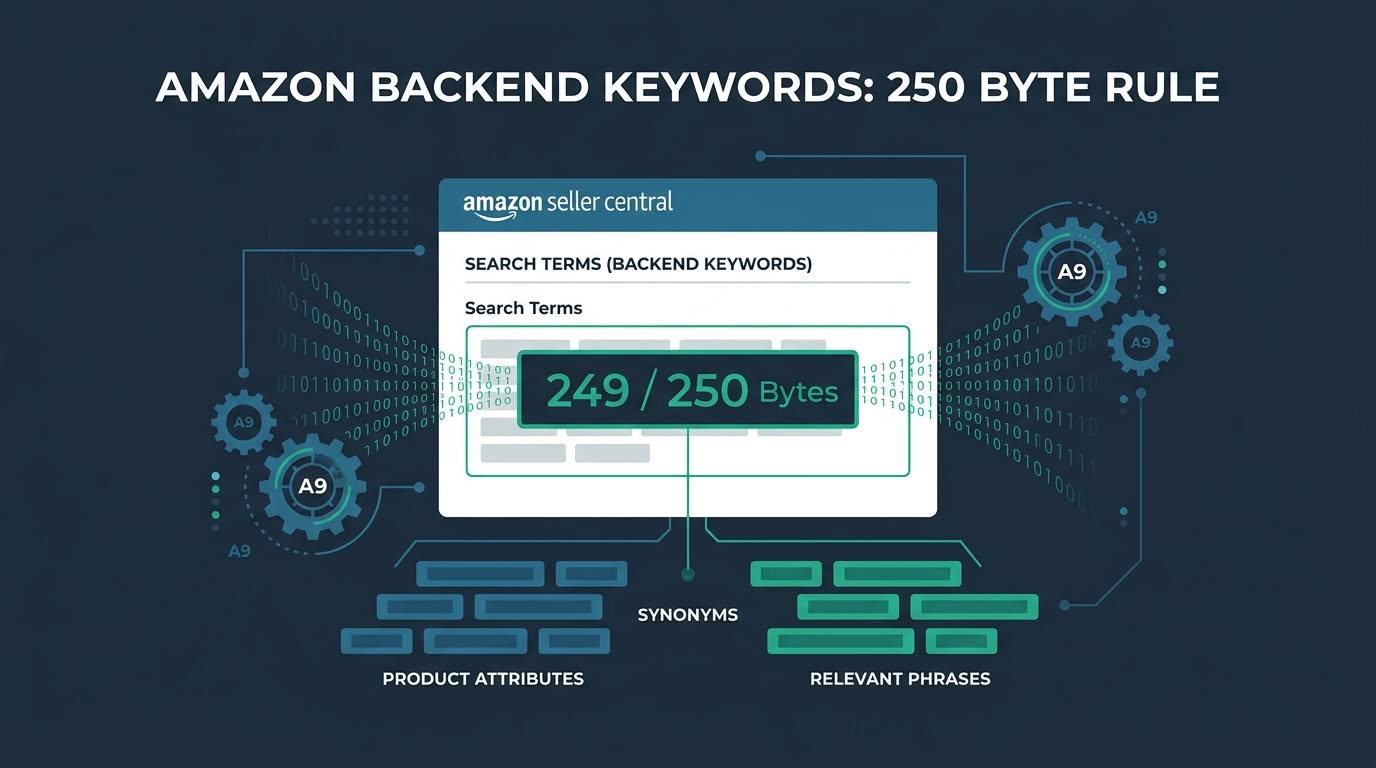
⚡ Golden Rules of Amazon Backend Keywords in 2026
Amazon backend keywords provide invisible indexation power for terms omitted from frontend copy. Maintaining your string under 249 bytes, separating terms with spaces, avoiding punctuation, and excluding frontend repetitions ensures complete catalog indexing without triggering algorithmic suppression penalties across Amazon Seller Central.
- Strict 249-Byte Ceiling: Keep the Generic Keywords field strictly under 250 bytes. Hitting 250 bytes silently de-indexes your entire backend keyword submission.
- Spaces Only: Separate phrases using single spaces. Never insert commas, semicolons, hyphens, or quotation marks.
- Zero Frontend Repetition: Do not repeat words already published in your product title, feature bullets, or brand field.
- Target High-Intent Gaps: Prioritize relevant Spanish translations, common consumer misspellings, and commercial synonyms absent from visible listing text.
Mastering amazon backend keywords represents one of the most reliable organic ranking levers available to Amazon sellers. Hidden inside the catalog interface of Seller Central, backend search terms index products for profitable queries without cluttering sales copy.
Understanding how to optimize amazon backend keywords enables brand owners to capture high-volume search traffic, irregular misspellings, and foreign dialect phrases. Sellers frequently overlook these terms when drafting public conversion copy.
Before assembling your metadata string, conducting comprehensive search analysis remains essential. Review our step-by-step tutorial on how to do keyword research on Amazon to extract high-intent customer search queries across your catalog niche.
Selecting reliable analytical software directly accelerates keyword discovery workflows. Consult our comparative benchmark on Helium 10 vs Jungle Scout keyword research to evaluate multi-ASIN reverse engineering and historical search trends.
In addition, scaling private label brands requires a dependable software stack. Browse our verified directory of the best Amazon seller tools to streamline listing optimization, profit tracking, and inventory replenishment.
Deploying dedicated amazon hidden keywords gives your catalog an immediate competitive advantage over brands that ignore backend attributes. However, backend indexing follows strict computational guidelines enforced by Amazon search algorithms.
What Are Amazon Backend Keywords (Search Terms)?
Amazon backend keywords are invisible search terms added to the Generic Keywords field in Seller Central. They expand product discoverability by indexing synonyms, slang, common misspellings, and Spanish translations without altering frontend titles or bullet points visible to shoppers during browsing sessions.
Amazon officially categorizes backend keywords as Generic Keywords or Search Terms within catalog listings. When the A10 ranking algorithm parses an ASIN, it calculates relevance across frontend copy and hidden backend metadata simultaneously.
Configuring backend search terms amazon seller central provides bridges the linguistic gap between shopper phrasing and product titles. This approach protects customer-facing readability while capturing long-tail search volume across diverse buyer demographics.
To identify unindexed search opportunities across competitor listings, explore our comprehensive evaluation in the BloggersNeed reverse ASIN lookup tools benchmark.
The 250-Byte Rule Explained: Bytes vs. Characters
The Amazon 250-byte rule enforces a strict ceiling of 249 bytes for the Generic Keywords field. Standard ASCII letters consume one byte each, whereas accented European letters consume two bytes and Asian characters consume three bytes under standard UTF-8 digital character encoding rules.
The most frequent listing optimization error stems from confusing character length with digital byte consumption. Amazon computational architecture calculates your amazon backend keywords length strictly using UTF-8 byte encoding standards rather than visible letters.
Maintaining your character string under the ceiling of amazon 249 bytes guarantees that catalog search algorithms process every single term. A standard English alphabet letter occupies exactly one byte, whereas special accented letters consume multiple bytes.
Using a dedicated amazon keyword byte counter eliminates guessing before submitting catalog changes. Testing your string in advance prevents accidental byte overruns caused by foreign accents or multi-byte punctuation marks.
What Happens If You Exceed 249 Bytes? (The Silent De-indexing Penalty)
Exceeding 249 bytes triggers an immediate silent de-indexing penalty across Amazon Seller Central. The catalog management system saves your entry without displaying error alerts, yet the search algorithm completely ignores the entire backend string, de-indexing your listing for every single keyword contained inside.
Many sellers mistakenly believe that exceeding the byte threshold merely causes Amazon to truncate excess words. In reality, violating the limit for amazon search terms 249 bytes leads to complete field invalidation across the catalog.
When this silent de-indexing penalty takes effect, Seller Central displays a green confirmation message indicating your changes saved. Behind the scenes, the search algorithm rejects the entire input string from search indexing servers.
Respecting the absolute amazon search terms limit safeguards your listing against total backend discovery loss. Monitoring your organic impressions helps catch accidental overages before sales velocity suffers severe damage.
What to Include in Your Backend Search Terms
High-converting backend search terms include commercial synonyms, long-tail customer phrases, common spelling mistakes, and Spanish translations omitted from public copy. Prioritizing terms absent from product titles and bullet points maximizes catalog indexation efficiency without wasting precious byte capacity on redundant phrasing.
Implementing targeted amazon backend search terms best practices requires selecting terms that provide authentic indexation gains. Every byte must target unindexed queries that potential customers type into the search bar daily.
High-value categories to include in your backend search terms are detailed in the list.
- High-Intent Commercial Synonyms: Include alternative terms customers use that do not appear in your title. For example, include chopping block or carving board if your title displays cutting board.
- Frequent Shopper Misspellings: Capture common typographical errors that buyers enter into search. Typical examples include straightner, dumbells, or protein shacker.
- Spanish Language Translations: Millions of shoppers across North American marketplaces search using Spanish vocabulary. Including phrases like prensa de ajo captures massive low-competition search volume.
- Long-Tail Modifiers: Add niche transactional descriptors such as camping gadget, heavy duty, travel size, or ergonomic grip.
For additional seed keyword inspiration without recurring software subscriptions, review our curated list of the free Amazon keyword research tools.
What NEVER to Include in Your Backend Keywords
Never include punctuation marks, commas, competitor brand names, subjective claims, or words already present in your frontend listing copy. Repeating frontend terms wastes byte capacity, while trademarked competitor names risk immediate listing suspension under Amazon anti-counterfeiting and intellectual property catalog policies.
Strictly adhering to official amazon search terms rules keeps your account compliant and prevents listing suppression. Punctuation marks consume byte capacity without providing any search ranking benefits.
Prohibited elements that sellers must avoid are highlighted in the list.
- Punctuation and Commas: Commas, semicolons, and hyphens consume valuable byte capacity. Separate all keywords using simple single spaces.
- Frontend Repetitions: Amazon indexes titles, bullet points, and backend search terms holistically. Repeating words already present in public copy provides zero ranking improvement.
- Competitor Brand Names: Adding trademarked brand names like Nike or Apple violates Amazon Intellectual Property policies and risks immediate listing suspension.
- Subjective Promotional Claims: Subjective phrases such as best, cheapest, top rated, or on sale are ignored by search algorithms.
- Plural Duplications: Amazon natural language processing matches singular and plural forms automatically. Adding both shoe and shoes wastes byte allocation.
What Belongs in Backend Keywords vs What to Leave Out
Evaluating terms before uploading prevents wasted byte space and algorithmic de-indexing penalties. The comparison matrix outlines acceptable backend keyword categories alongside prohibited listing elements, helping sellers construct compliant search term strings that maximize organic catalog discoverability across high-intent Amazon shopping queries.
Constructing an optimized backend string requires filtering candidate words through algorithmic compliance standards. The comparison matrix provides clear guidelines on allowed versus prohibited keyword types.
| Term Category | Inclusion Status | Practical Example | Algorithmic Impact |
|---|---|---|---|
| Unindexed Synonyms | Allowed | chopping block butcher block | Expands semantic indexation without cluttering public titles. |
| Spanish Translations | Allowed | tabla de cortar madera | Captures Spanish search volume across North American markets. |
| Buyer Misspellings | Allowed | reciept book organizer | Indexes uncorrected search queries cleanly off public copy. |
| Punctuation Marks | Prohibited | commas, hyphens, semicolons | Wastes valuable byte capacity without aiding search matching. |
| Frontend Duplicate Words | Prohibited | words already in title or bullets | Creates redundancy; Amazon algorithm already indexes frontend text. |
| Competitor Trademarks | Prohibited | Nike, Yeti, Apple, Anker | Triggers intellectual property violations and listing suppression. |
| Subjective Claims | Prohibited | best, top, sale, cheap, gift | Filtered out by search algorithms as promotional noise. |
Step-by-Step Backend Search Terms Optimization Workflow
Executing a structured backend search terms optimization workflow guarantees comprehensive keyword coverage without exceeding byte limits. Combining seed phrase harvesting, automated deduplication, listing overlap verification, and byte validation ensures your generic keywords field drives maximum organic search volume and indexing efficiency.
A systematic workflow eliminates guesswork and prevents costly de-indexing errors. Follow this five-step optimization procedure to build high-converting backend strings.
Step 1: Harvest Unindexed Phrases with Seed and Reverse ASIN Research
Harvesting high-value keywords begins with competitor reverse ASIN lookups and customer search query analysis. Identifying relevant search phrases with substantial search volume that do not fit naturally into frontend bullet points isolates prime candidate terms for your backend generic keywords field.
Extract search terms from top competitor listings using reverse ASIN search tools. Filter queries to isolate relevant terms that have search volume but remain omitted from your title.
Step 2: Clean and Deduplicate Lists in Helium 10 Frankenstein
Helium 10 Frankenstein strips duplicate phrases, removes punctuation, converts characters to lowercase, and separates terms using single spaces. Processing raw keyword lists through Frankenstein eliminates redundant word roots and condenses hundreds of disparate search queries into a compact, space-efficient keyword bank.
Paste your harvested keyword list into Frankenstein. Enable filters to remove duplicate words, strip punctuation marks, remove common stop words, and maintain single space separation.
Optimize Search Terms in Helium 10 Frankenstein
Step 3: Map Keyword Coverage in Helium 10 Scribbles
Helium 10 Scribbles cross-references your backend keyword draft against published listing elements to prevent redundant term repetition. Scribbles highlights previously used words in real time, ensuring that every character in your backend string targets completely unindexed customer search terms across your category.
Transfer your cleaned keyword pool into Helium 10 Scribbles. Paste your published title and bullet points to confirm which terms are already indexed across frontend listing copy.
Scribbles automatically crosses off words used in your public copy. This makes it effortless to populate the backend search terms box with unique search phrases.
Step 4: Verify UTF-8 String Length with an Amazon Keyword Byte Counter
Validating final string byte count with an Amazon keyword byte counter prevents silent listing de-indexing penalties. Checking the exact UTF-8 byte total rather than simple character count confirms that foreign characters, numbers, and spaces strictly occupy 249 bytes or fewer before publishing.
Run your finalized keyword string through an online UTF-8 byte counter tool. Verify that the total byte count registers between 240 and 249 bytes.
Never permit your string to touch 250 bytes. Keeping your count at 248 bytes provides a safe buffer against unexpected multi-byte character conversions.
Step 5: Publish Generic Keywords in Amazon Seller Central
Publishing backend keywords requires navigating to the Generic Keyword attribute inside the Product Details tab of Seller Central. Pasting your verified 249-byte string and saving changes transmits updated catalog metadata across global Amazon search indexing servers within twenty-four hours of submission.
Log in to Seller Central, navigate to Manage All Inventory, and click Edit on your target listing. Locate Generic Keywords under Product Details, paste your string, and save.
Other Valuable Backend Attribute Fields in Seller Central
Amazon Seller Central offers specialized backend metadata attributes beyond the generic search terms field. Utilizing Intended Use, Target Audience, Subject Matter, and Other Attributes provides additional categorical indexing paths that help shoppers discover your product listings through sidebar faceted navigation filters.
Beyond the generic keywords field, Amazon provides dedicated attribute fields with independent byte allowances. Completing these fields maximizes catalog categorization without consuming generic search term space.
Valuable secondary backend fields include the options listed.
- Target Audience: Define intended user groups such as men, women, runners, seniors, or students.
- Intended Use: Identify practical usage settings like outdoor camping, office desk, weightlifting, or kitchen food prep.
- Subject Matter: Applicable in creative and gift categories to describe specific visual themes or artistic motifs.
- Faceted Search Attributes: Fill out color, material type, and size dropdowns to appear in left-hand sidebar search filters.
International Marketplaces and Multi-Byte Character Encodings
International Amazon marketplaces require careful byte management due to multi-byte UTF-8 character encoding variations. European accented vowels consume two bytes each, while Japanese Kanji consumes three bytes per glyph, significantly reducing the permissible character count available within international search term fields.
Expanding into international marketplaces introduces complex byte dynamics. In marketplaces like Germany, France, and Spain, accented letters consume twice the byte weight of standard letters.
In Asian marketplaces like Amazon Japan, Kanji characters consume three bytes each. Consequently, Japanese backend fields accommodate approximately 80 to 82 characters before exceeding the 249-byte ceiling.
How to Verify Backend Keyword Indexation on Amazon
Verifying backend keyword indexation requires testing your ASIN alongside target search phrases using specific Amazon search bar operators. Searching your ASIN plus target keyword in quotation marks confirms whether catalog algorithms successfully indexed the phrase without requiring external index checking software tools.
Allow 24 hours after publishing updates for Amazon search servers to refresh listing data. Then perform a manual index verification test directly on the Amazon storefront.
Enter your ASIN and the target search term enclosed in quotation marks into the Amazon search bar. If your product displays in search results, the phrase is indexed.
Confirming that amazon indexing backend keywords functions properly ensures your listing competes for relevant customer queries. To monitor keyword ranking trends continuously, explore our recommendations for the best Amazon keyword trackers.
Advanced Strategies for Multi-Variation Parent-Child ASINs
Multi-variation parent-child ASIN listings provide unique opportunities to divide complementary search terms across different child products. Distributing distinct long-tail keywords, Spanish phrases, and technical synonyms across individual child backend fields expands catalog reach without cannibalizing keyword authority across separate child variations.
Do not duplicate identical backend keyword strings across every child variation. While core keywords can remain consistent, dedicate unique byte allocation to variation-specific attributes on individual child ASINs.
For instance, assign specific color and dimension terms to corresponding child variations. This strategic division allows the combined parent listing to index for a broader spectrum of customer queries.
Auditing and Refreshing Backend Keywords Every Quarter
Conducting quarterly backend keyword audits ensures product listings capture trending shopper terminology and seasonal demand patterns. Reviewing Amazon Brand Analytics Search Query Performance data reveals newly emerging search phrases that can replace low-performing backend terms to maintain peak organic sales velocity.
Consumer search terminology shifts dynamically with seasonal trends and viral cultural phrases. A static backend keyword string published twelve months ago frequently misses high-converting emerging queries.
Cross-reference search term impression reports and Brand Analytics data quarterly. Replace terms that generate zero impressions with newly discovered customer search phrases to sustain organic sales momentum.
Frequently Asked Questions About Amazon Backend Keywords
Find precise answers to common questions regarding Amazon backend keywords limits, formatting rules, byte calculation, and indexing verification. Review these expert technical recommendations to maximize organic visibility, avoid catalog suppression, and execute compliant search term optimization for Amazon listings in 2026.
What is the exact amazon search terms limit for backend keywords?
The official amazon search terms limit is strictly less than 250 bytes, meaning an absolute maximum of 249 bytes. If your string reaches exactly 250 bytes or more, Amazon search algorithms silently reject and de-index the entire search terms field completely.
Sellers should keep their backend search string between 240 and 248 bytes to ensure complete indexation while leaving a safe buffer against multi-byte character calculation errors.
Why does Amazon measure backend search terms in bytes instead of characters?
Amazon measures backend search terms in bytes rather than characters to standardize database storage across global marketplaces using UTF-8 encoding. Standard alphanumeric English characters equal one byte, whereas special accents, symbols, and Asian characters occupy two to four digital bytes each.
Calculating limits by bytes ensures that international characters do not overwhelm storage allocations in Amazon catalog databases.
Should you separate amazon hidden keywords with commas or spaces?
You must separate amazon hidden keywords using single spaces only, never commas, semicolons, or hyphens. Amazon search algorithms treat punctuation marks as wasted byte space that adds zero SEO value while consuming precious byte allocation within the strict 249-byte ceiling.
Using spaces allows the search engine algorithm to combine keywords dynamically into multi-word search phrases.
How does amazon indexing backend keywords handle singular and plural words?
When amazon indexing backend keywords processes your catalog data, its natural language processing algorithm automatically matches singular and plural noun variants. Including both singular and plural forms of the same root word wastes byte space without offering extra organic ranking benefits.
Focus your byte capacity on distinct root words, commercial synonyms, and Spanish translations instead of repeating grammatical inflections.
What is the biggest mistake sellers make during backend search terms optimization?
The most catastrophic mistake during backend search terms optimization is exceeding 249 bytes by miscalculating multi-byte characters or including commas. Going over the limit causes silent catalog suppression, removing organic discoverability for every keyword placed inside the generic keywords field.
Always verify your generic keyword strings with an online byte counter before publishing changes in Seller Central.

I’m Abdullah Prem, a passionate blogger with over 10 years of experience. I created BloggersNeed to produce high-quality, easy-to-understand articles, guides, and tutorials that help people start their blogging journey. Specializing in WordPress, Hosting, Themes, and online money-making strategies, I’ve been featured on leading tech platforms such as Tech.co, Cloudways, Business2Community, Leadpages, GoodFirms, and ShareThis. BloggersNeed.com